— Portfolio —
Data Management System & Frontend data visualization app

Sports Data Showcase App
About the Project
Overview
Sports Wyz transforms sports data into impressive showcases that are easy to navigate for fans and easy to manage for teams. We found that universities often had webpages with an overwhelming amount of data displayed in tables that were difficult interpret. A volunteer web manager for Stanford University’s sports fan club was the client in this case.
Goals
Research, ideate, and design the UX/UI for a Multimedia Hall of Fame Showcase App that can be repurposed for other sports data.
Team & Roles
Product Design: Jasmine Reynoso
Product Development: Amanda Harris, Awele Ndili, Jasmine Reynoso (CSS edits)
Scope
Design & Development: 3 weeks
Tools
Illustrator, Photoshop, XD, CSS
– The Web App –
Hall of Fame Showcase
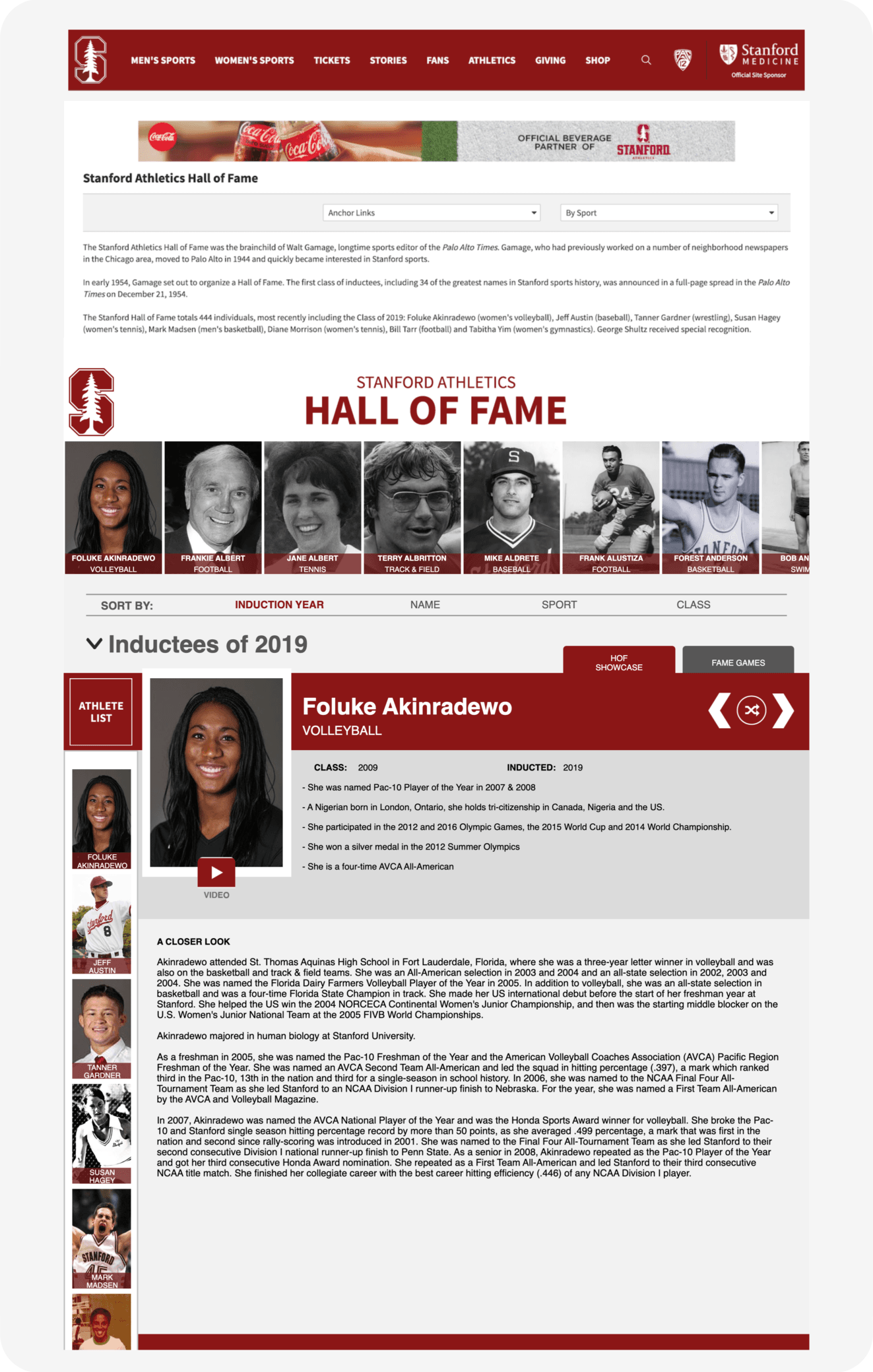
Data-driven interface with easy to filter categories and engaging multi-media to highlight Hall Of Famers and sports teams.
Research & Pain Points
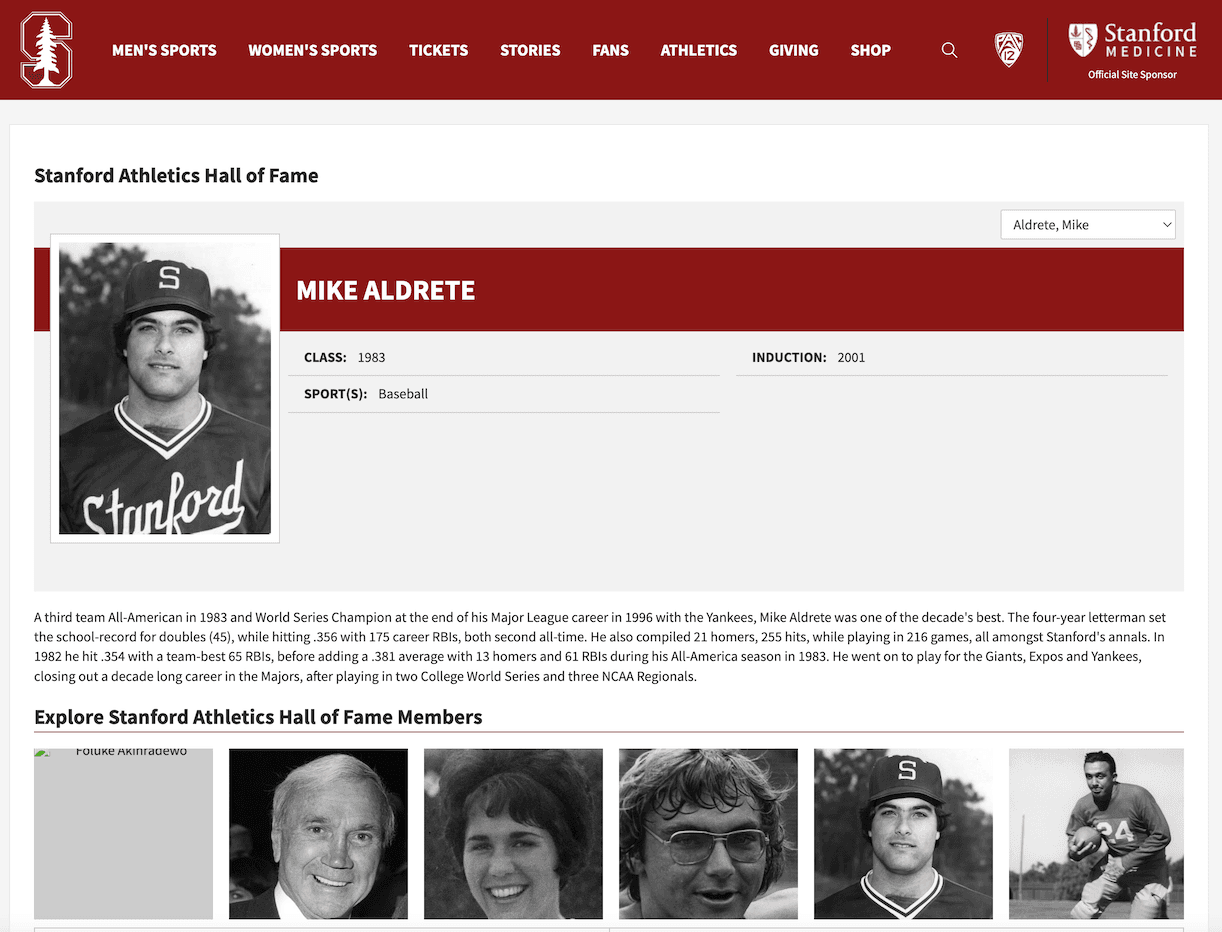
I interviewed the Stanford volunteer and reviewed the current approach for displaying and navigating Hall of Fame athlete data. Interview was a mix of audio recording and handwritten notes through observations and questions with the volunteer as they used the Stanford website.

Problem Solving & Ideation
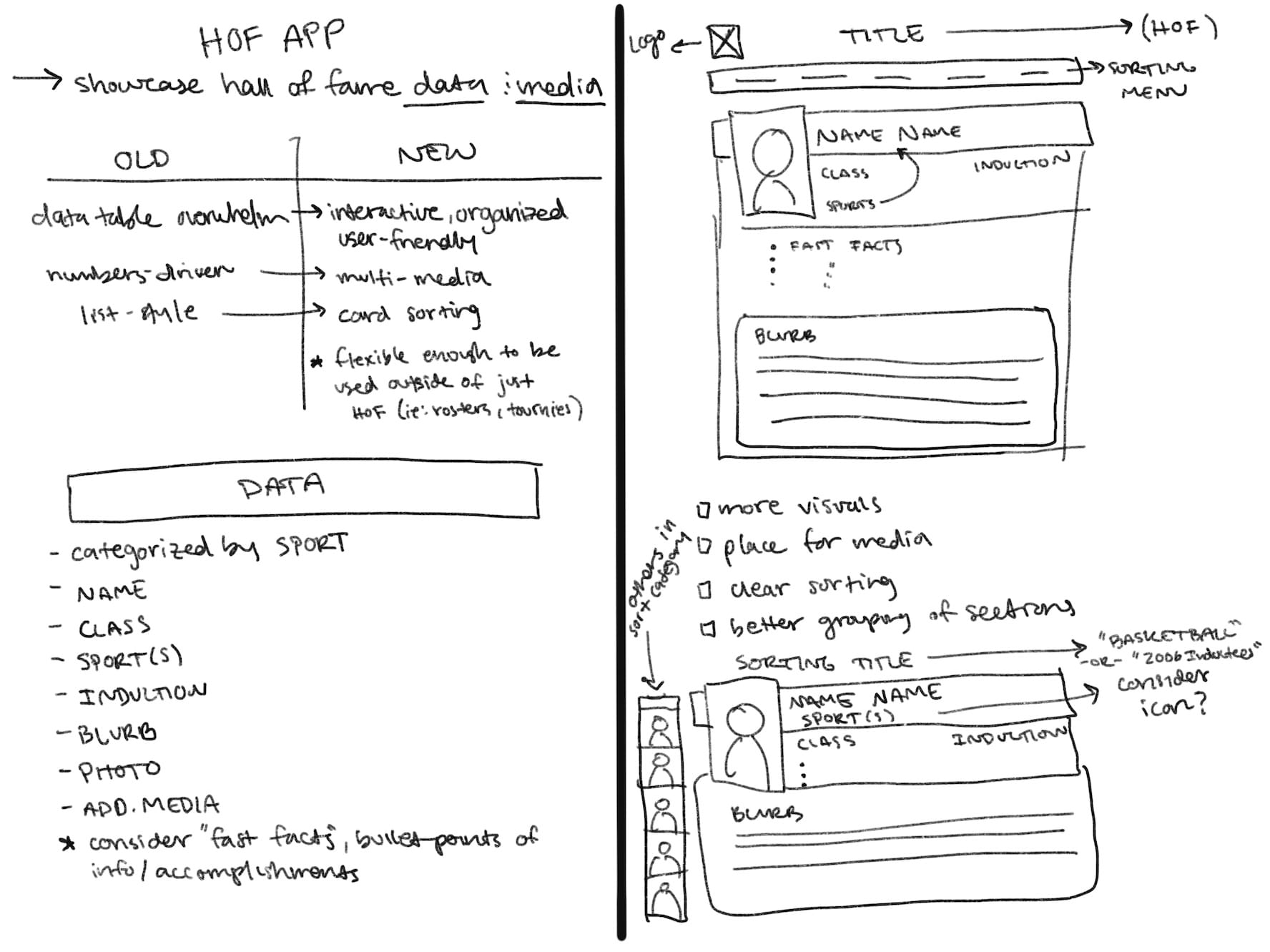
I reviewed the interview notes, pain points, and data most commonly showcased for Hall of Fame athletes to determine the key parameters needed in the new design.

Wireframing & Prototyping
To provide the Product Dev Team clear development instructions, I created a wireframe notating elements in-line with the in-house programming platform used by the team (Wyz Create) plus a visual mockup of the intended final app.




Development & Deployment
The final Hall of Fame app was completed by the Product Development team as close to the intended design as possible. I jumped in with a final round of CSS modifications.
– Flexible Design –
Tournament Data App
The same UI design is applicable to various contexts including tournament data as seen below.

– Content Management System –
Dataset CMS Wireframes
I wireframed some UI ideas for the dataset management system running on the backend of these apps. The aim was to make data entry, management, and editing a friendly task for people with minimal experience handling datasets. Note that this project was deprioritized, therefore full implementation was not achieved.
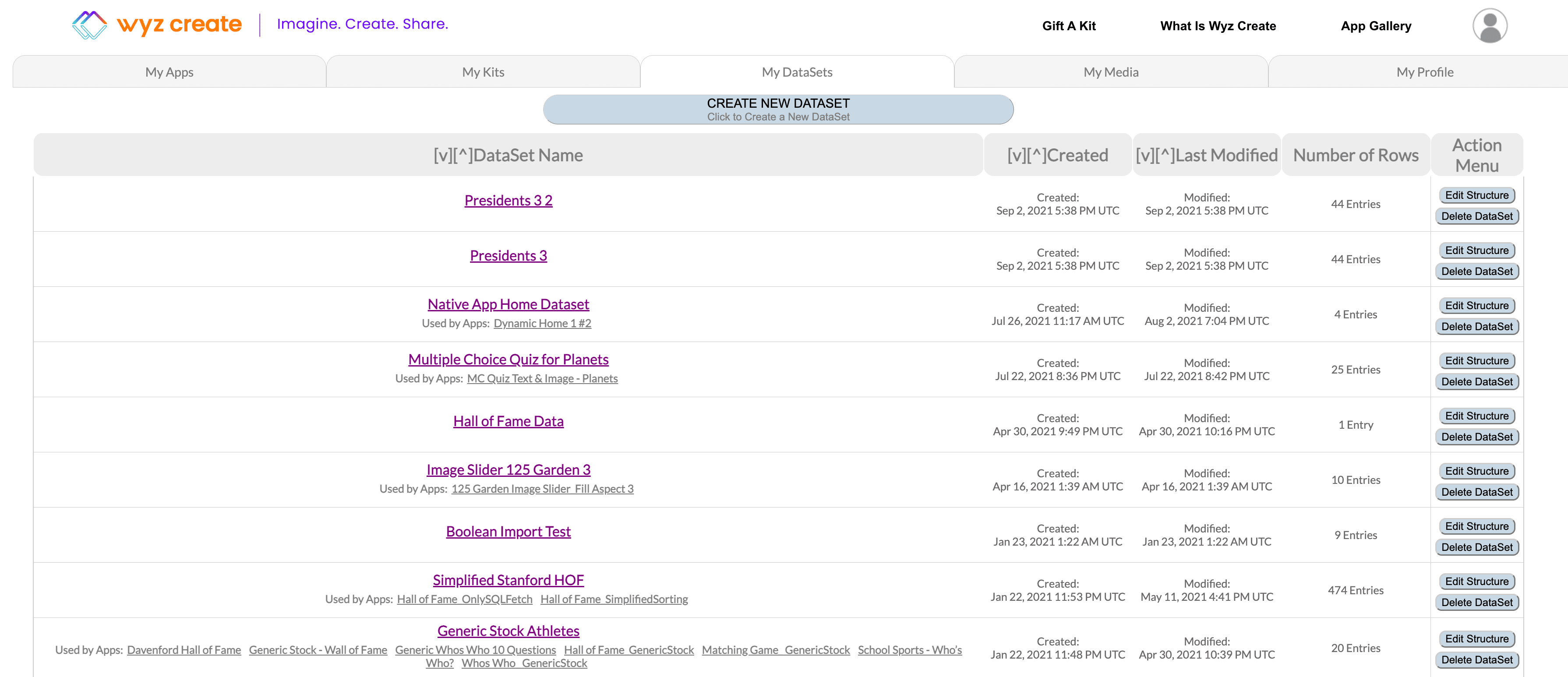
Top-Level Dataset Library
The “My DataSets” tab allows users access to their library of datasets, with the ability to sort and delete.
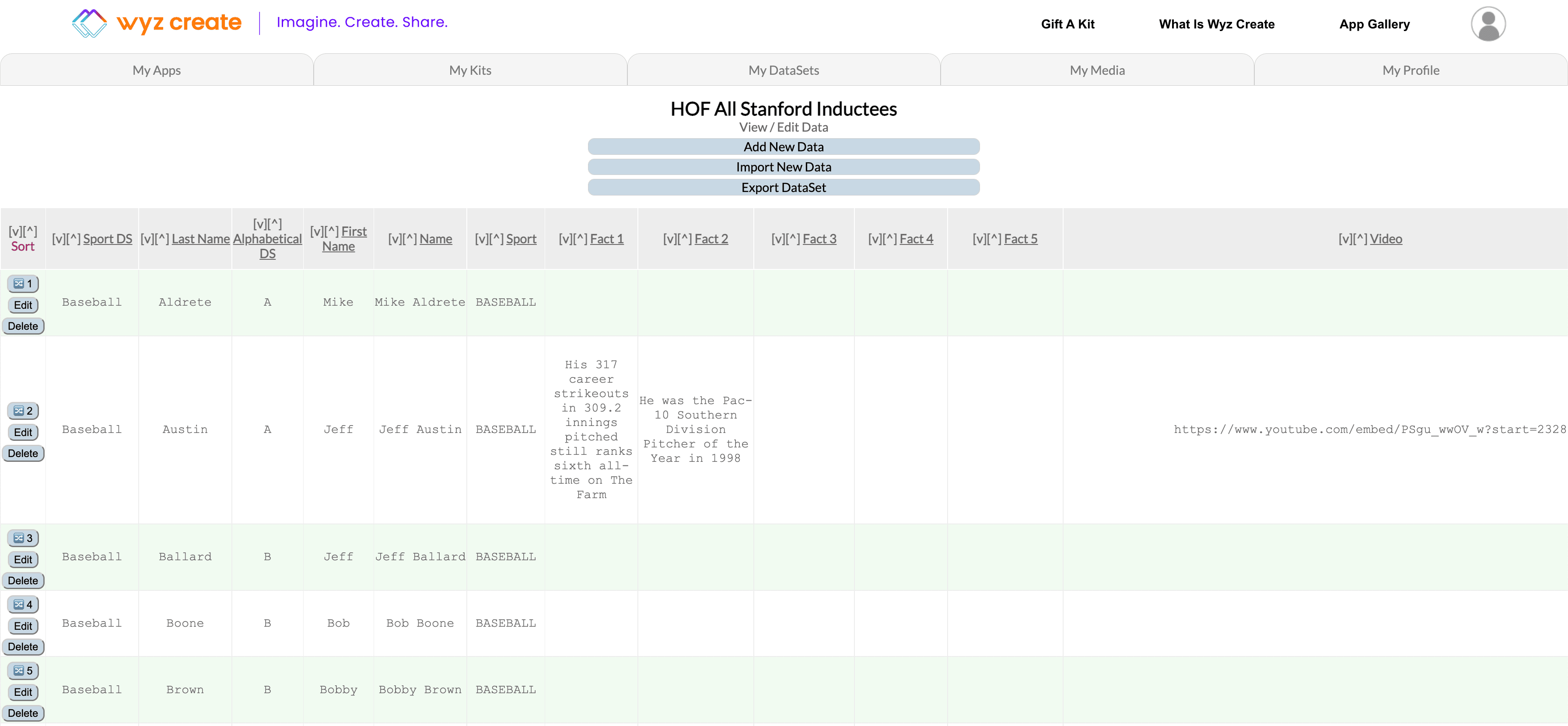
Dataset Content - Records
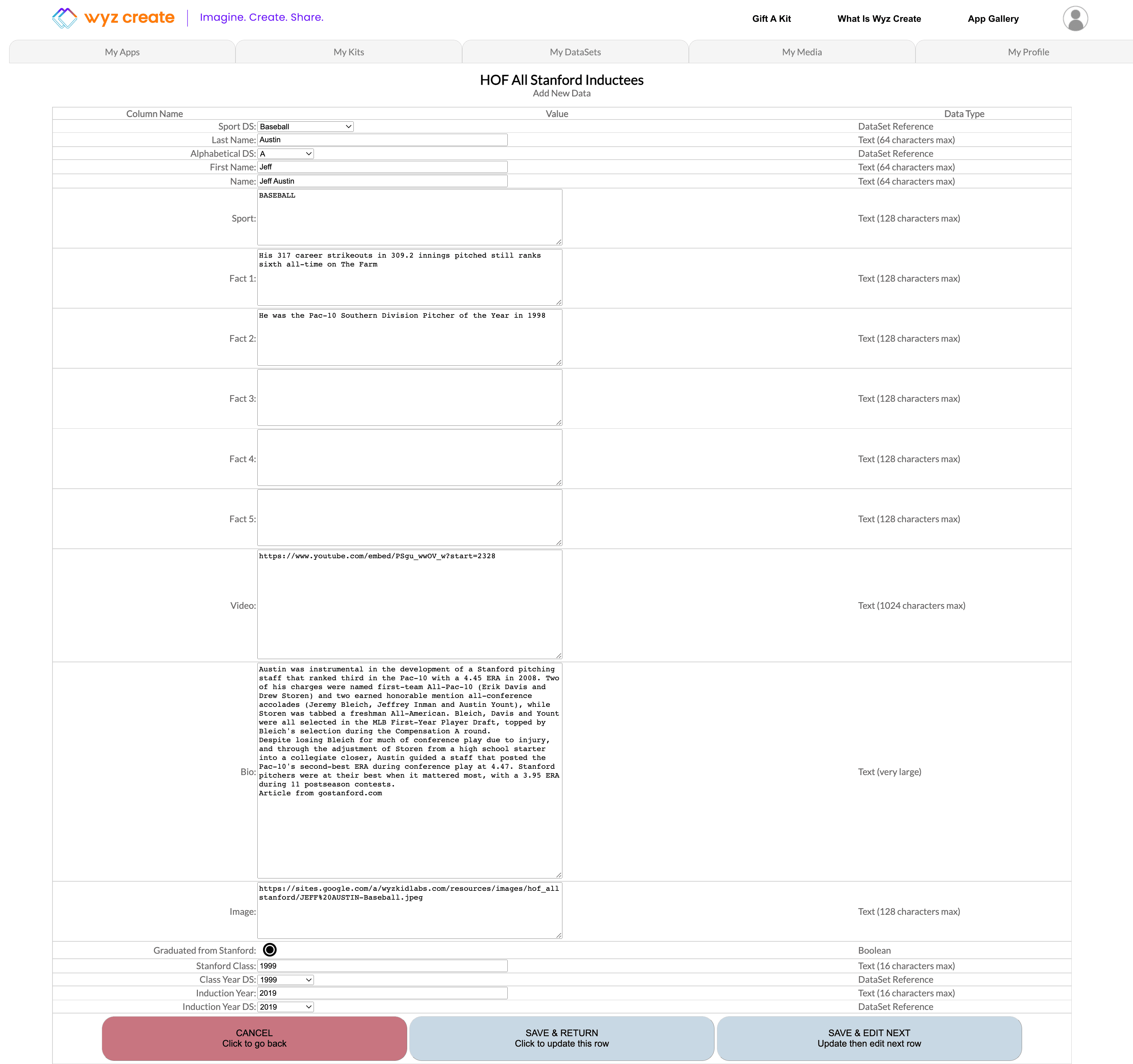
Jumping into a dataset gives users an overview of all its records. Records can be sorted, moved, and deleted at this level.
Individual Records - Data Entry
Accessing individual records offers users a more user-friendly entry and editing experience by isolating a row into a vertical scroll display.